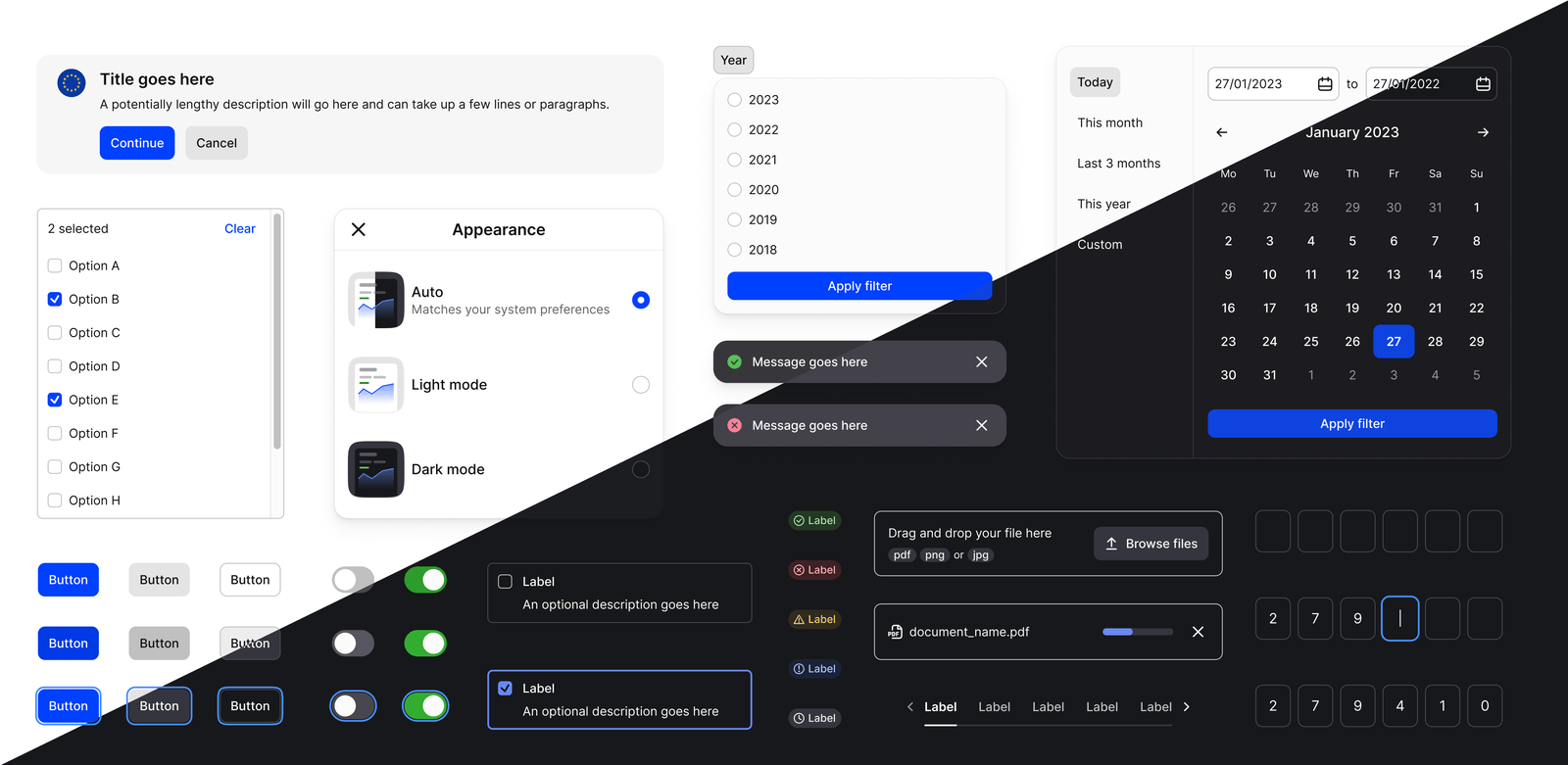
We recently achieved a significant milestone for our design system team at Mollie. We launched the first version of Mollie UI, the company's first cross-platform design system. Over the last seven months, we designed and implemented 46 components. In this article, I will share how we started, the learnings from the period, and how our design process helped us deliver scalable and manageable components. I hope this content can help you begin your design system or accelerate what is already being built.
Getting started
While jumping into creating the first UI component is tempting, a design system is a significant investment, so ensuring your peers that you are working on the right things and pace is essential. These are the steps we took before we started designing our first components:
Roadmap and backlog
We believe that not all visual elements on an interface need to be a component. So in our first workshop with product teams, we mapped which ones we would include in the design system. We decided on their importance based on effort and value (usage by core features), resulting in a list of high, medium, and low-priority components.
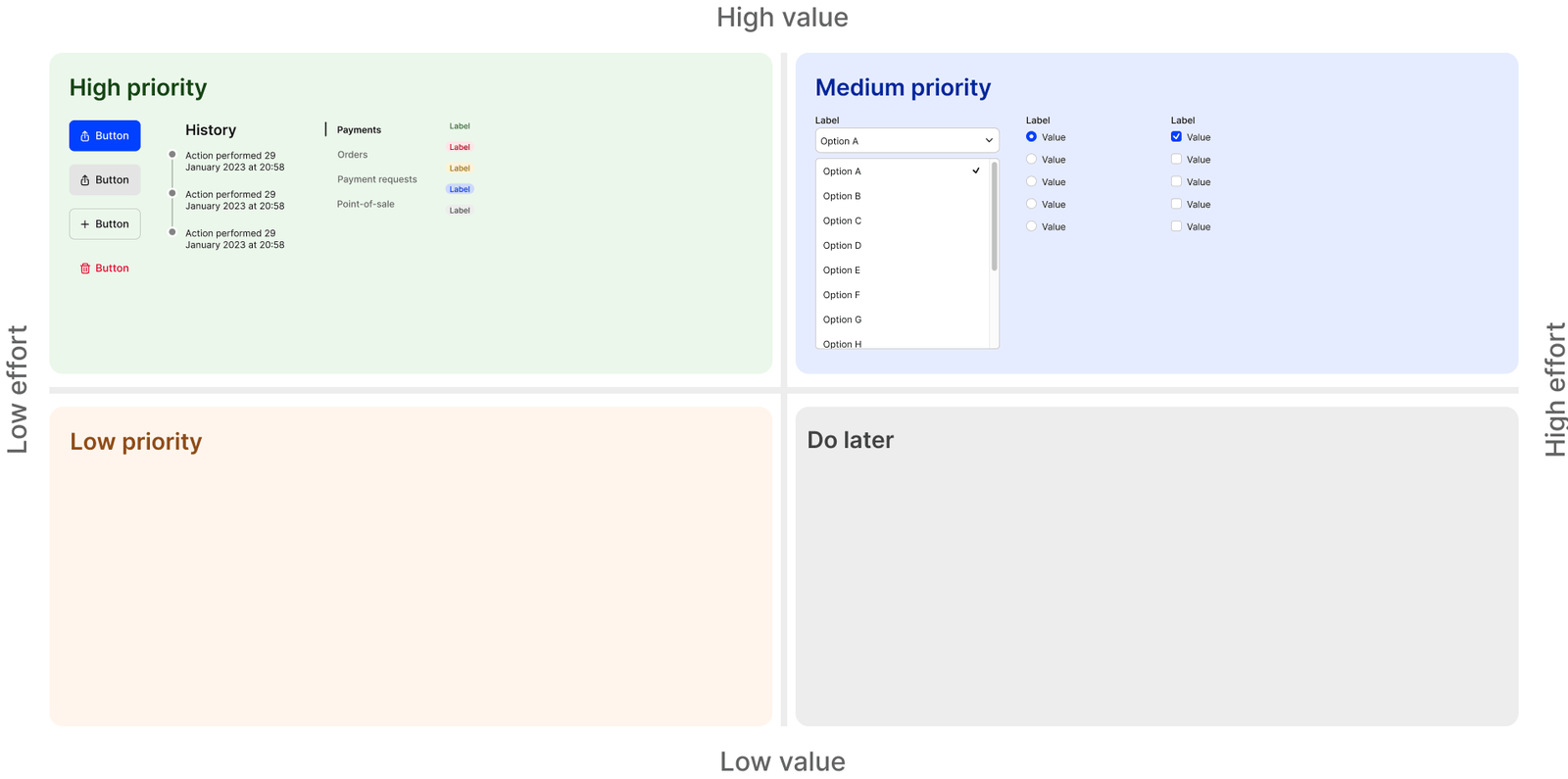
With the list in hand, we were able to create the first version of the implementation roadmap. Later, as we progressed and due to our weekly reviews, we could constantly refine and adjust priorities based on new findings. For example, we learned that components that share visual characteristics, such as the Radio and Checkbox lists, can benefit from being worked on simultaneously.
Definition of done
While components differ in complexity, we aimed to find a set of common traits we could use to help our scope. So early on, we defined an extensive set of quality standards that would also work as a definition of done. All components would require properties and variants for:
- Screen size: Large or Small (our context)
- Input method: Mouse, keyboard or touch.
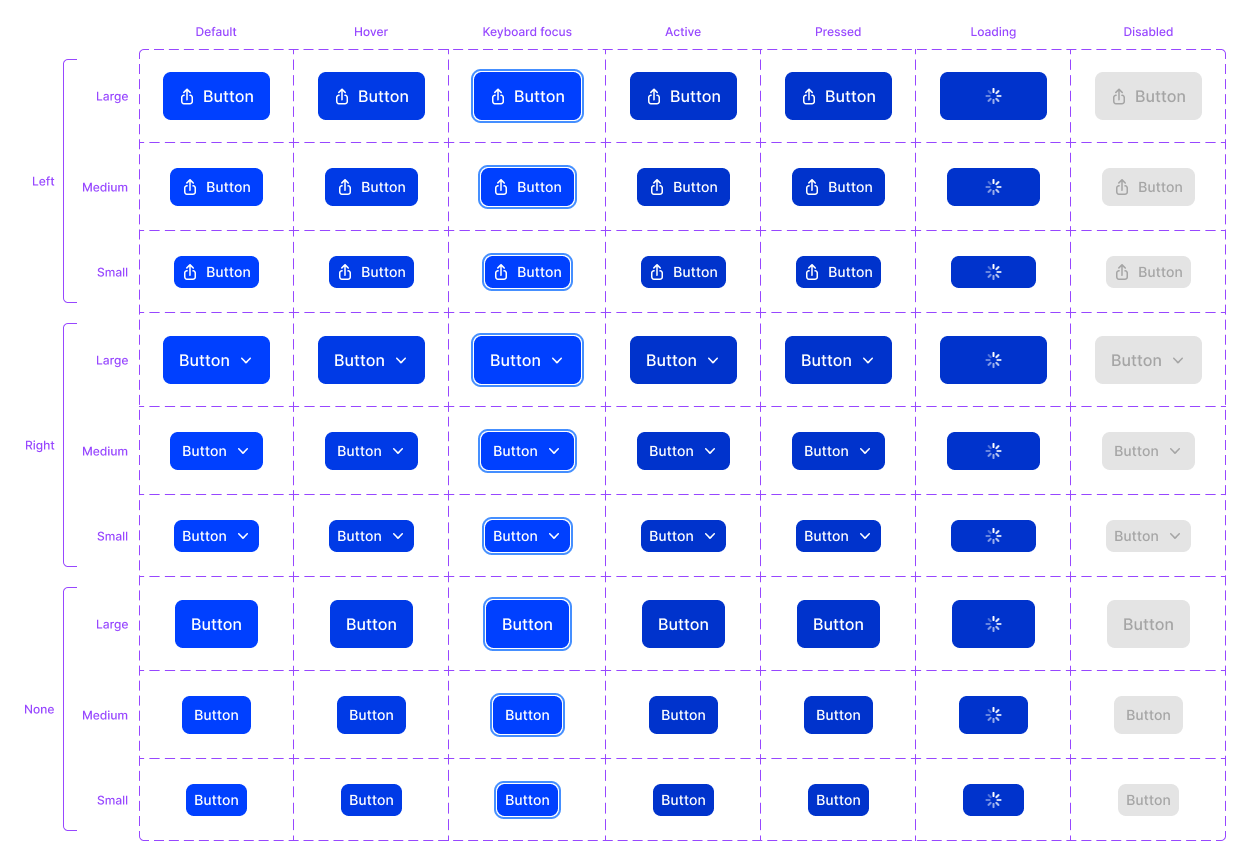
- Usability: Default, Hover, Keyboard focus, Active, Pressed and Disabled states.
- Accessibility: WCAG 2.1 level AA compliance.
- Themes: Light and Dark.
- Availability: Design (Figma) and Code (Storybook).
With the definition of done clarified, we started working on tokens. Our idea was to create an initial set and change it as needed. And we did change it, a lot.
UI tokens learnings
Tokens are essential for building scalable and manageable components. But defining them too early can impact the speed of implementation of your design system. While implementing our first components, we made numerous changes to our tokens library. For example, we added new typography tokens, changed our naming scale for spacing, and removed color tokens, all while having a few components launched already. But over time, as the tokens matured, the number of iterations fell drastically. So the main learning here is to keep it flexible for as long as possible.
Our process
The process I will describe in this section results from multiple iterations. As with any design process, we constantly learn better ways of doing things, which leads to changes in how we work. As we progressed, what started as a checklist became our natural way of working. To better explain our whole process, I've divided it into five phases:
- Research & Benchmark
- Design
- Review & Iterations
- Implementation
- Final review
1. Research & Benchmark
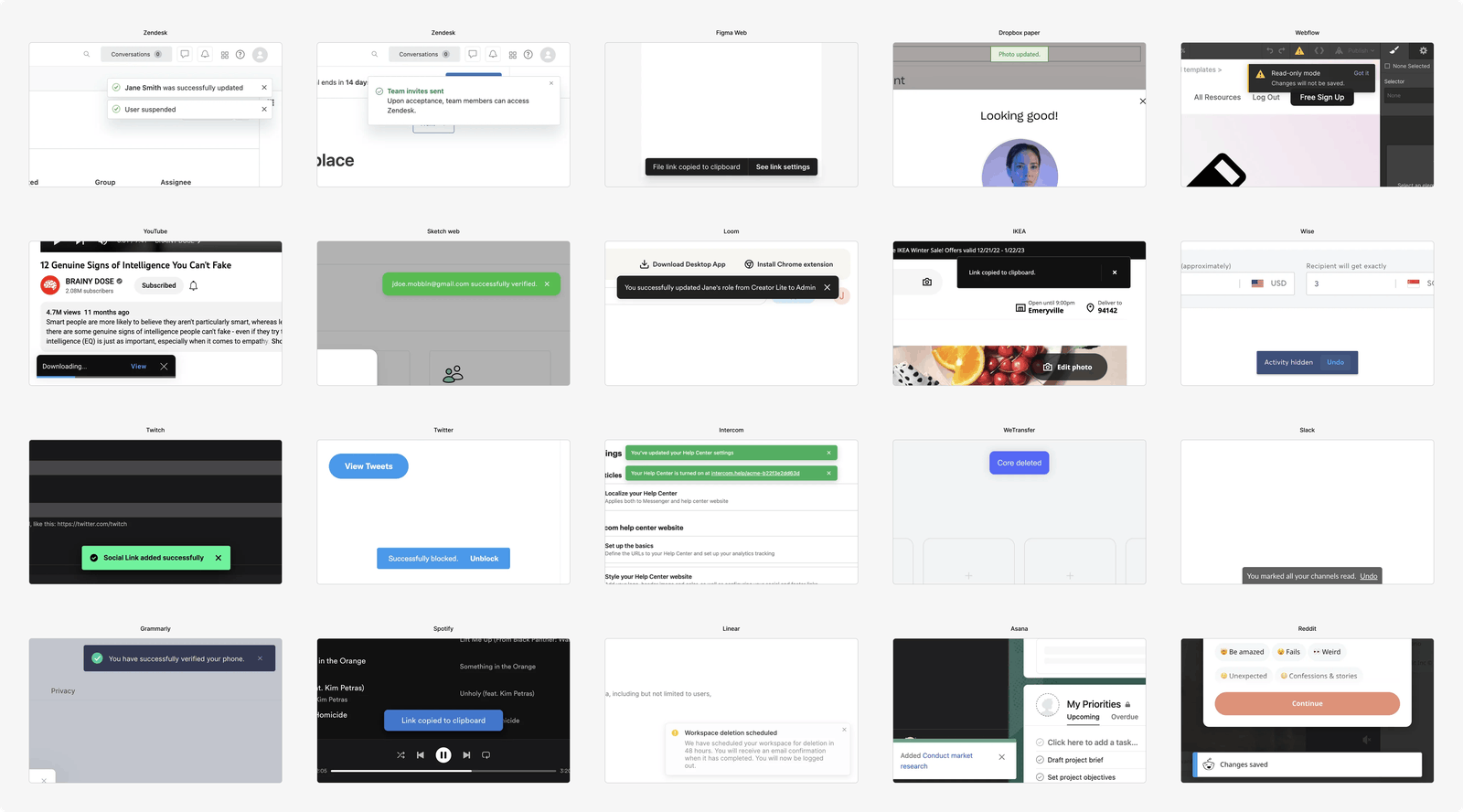
Before working on a component, we first start researching how similar interface elements are currently used across the platform. This already gives us a good idea of cases to cover and variants to build. Later, we benchmark other design systems to understand what they considered when creating their versions. Which properties and variants do they judge to be essential? How do they visually differentiate their states? What is the overall experience when using it? All of this helps us set better expectations of the component scope. Thanks to services like Mobbin, collecting these references is extremely fast and easy.
2. Design
As a second step, we start to design iterations for the component. We explore possible paths, weigh each version's pros and cons, and move forward with the ones we believe are better. We often share these early versions for feedback with a small group that changes per component, so we get diverse input and do not disturb the whole product, design, and engineering group.
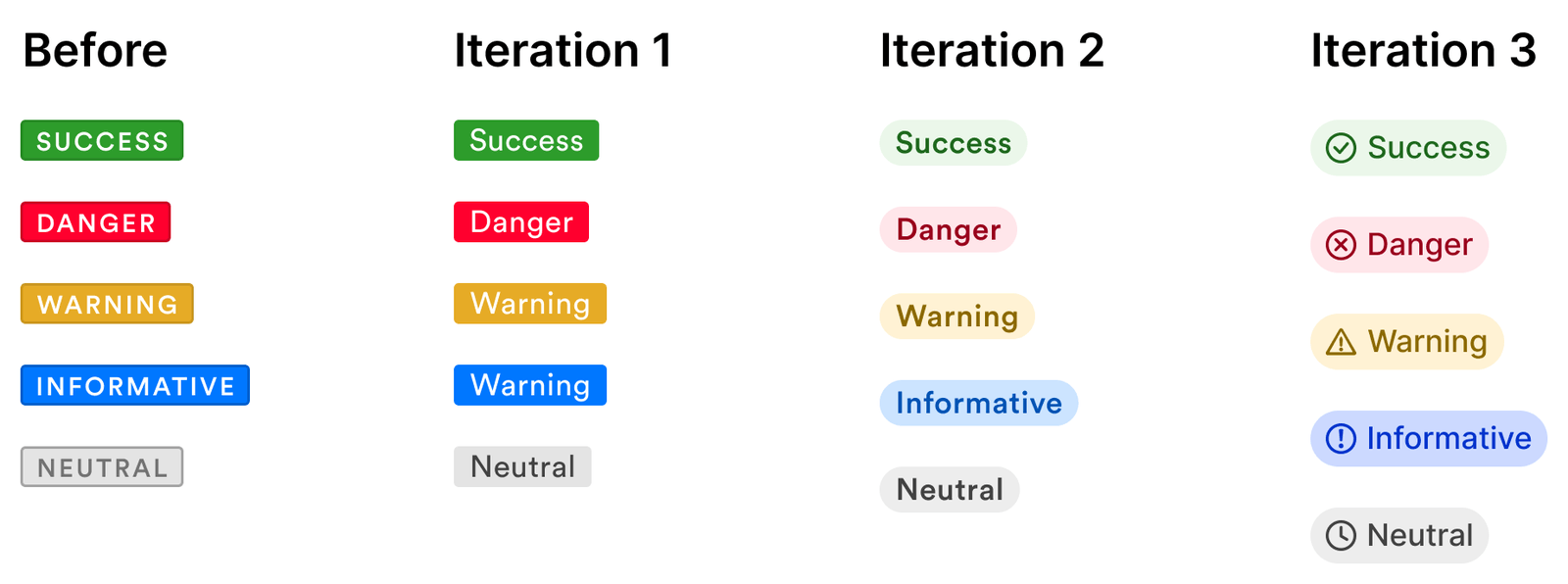
As the iterations progress, we move to more specific topics, such as how it will look in dark mode, how the keyboard focus will look, and the minimum width (if applicable).
3. Review & Iterations
There are many stakeholders involved in creating a design system. Getting everybody into a room was not an option, so we came up with an async review method. We made a single Figma file, adding all the necessary designs and information about a component, one per page, including a working playground where designers could experience the component and their properties firsthand. While very effective, this was also relatively slow, so to avoid being blocked, we always worked on more than one component simultaneously.
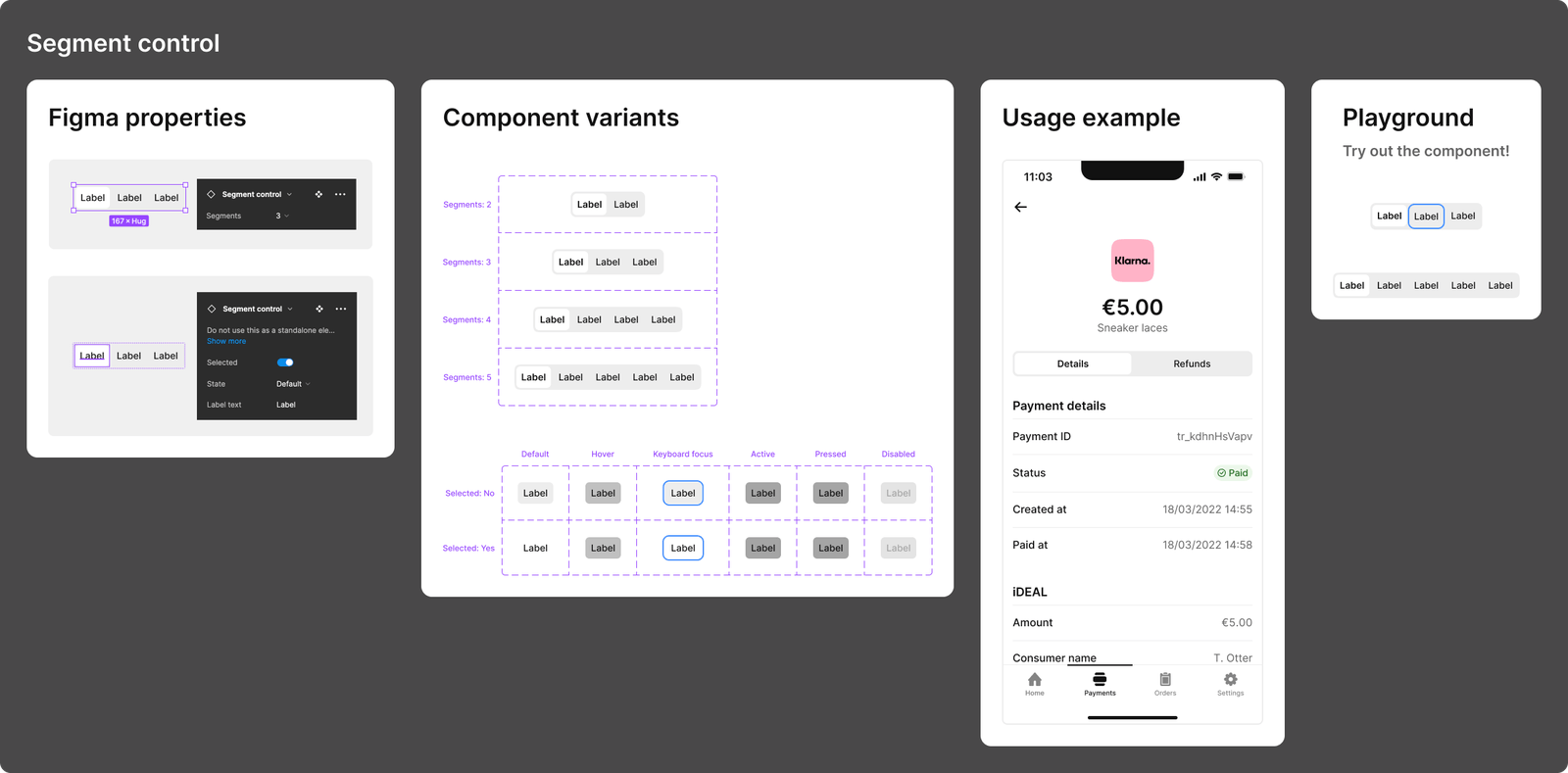
These preliminary versions of components were also published as "Beta" in Figma, allowing designers to test them directly in the context of their projects. The collected feedback was revised and acted on. If changes were significant, we would share them for review again. This feedback method allowed us to identify over 150 improvements, all while still in the design phase.
4. Implementation
Our UI engineer is involved from the very early stage, so the implementation is often very straightforward. It is also a very efficient process since it does not require extra work from the design side. All the required information and specs, such as the matrix of variants and states, are already available from the review file. Also, to ensure visibility and transparency on our progress, we use a dedicated Jira board.
5. Final review
In this last phase, all stakeholders can test the implemented component and its properties on Storybook for the first time. After such a thorough process, we rarely face significant issues in this stage. Also, if we spot a blocking issue, we immediately fix it. Otherwise, it would go to the backlog as a future improvement.
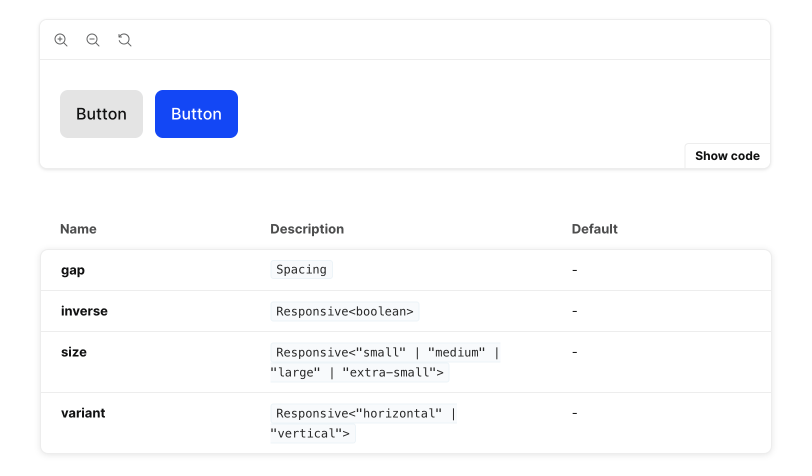
Once this review is finished, the component is finally ready. Therefore, we proceed with the formal release and make it available simultaneously in Figma and Storybook.
End result
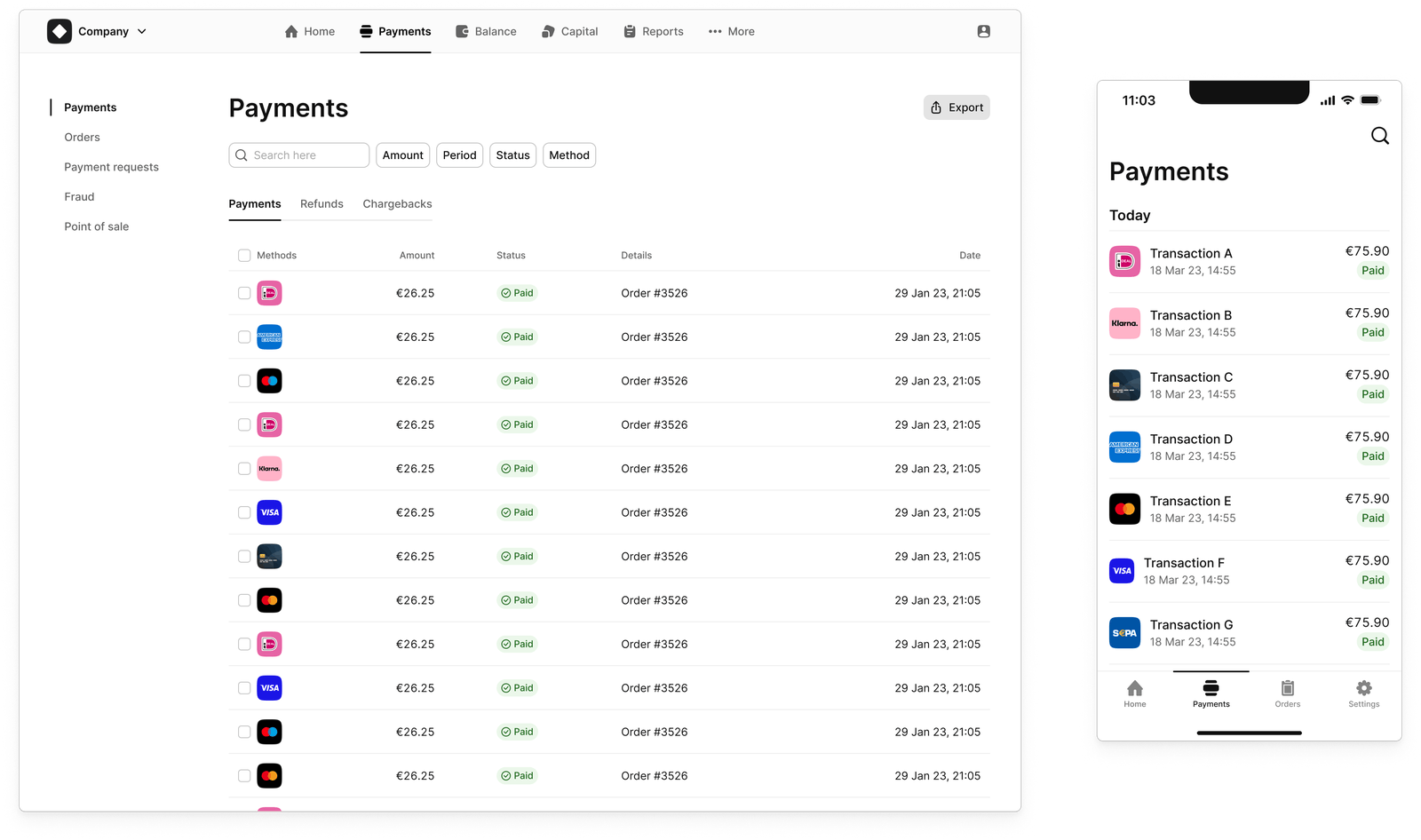
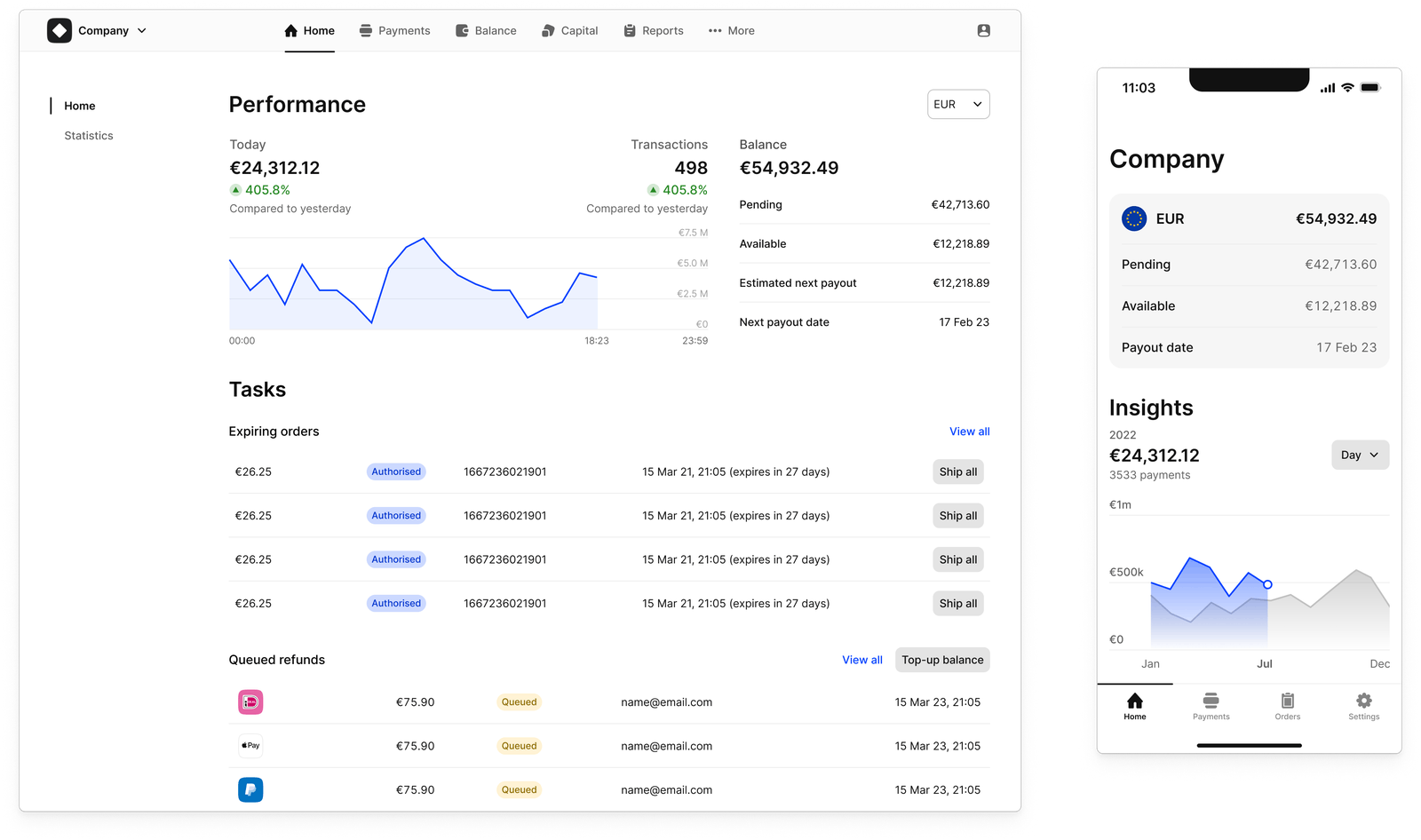
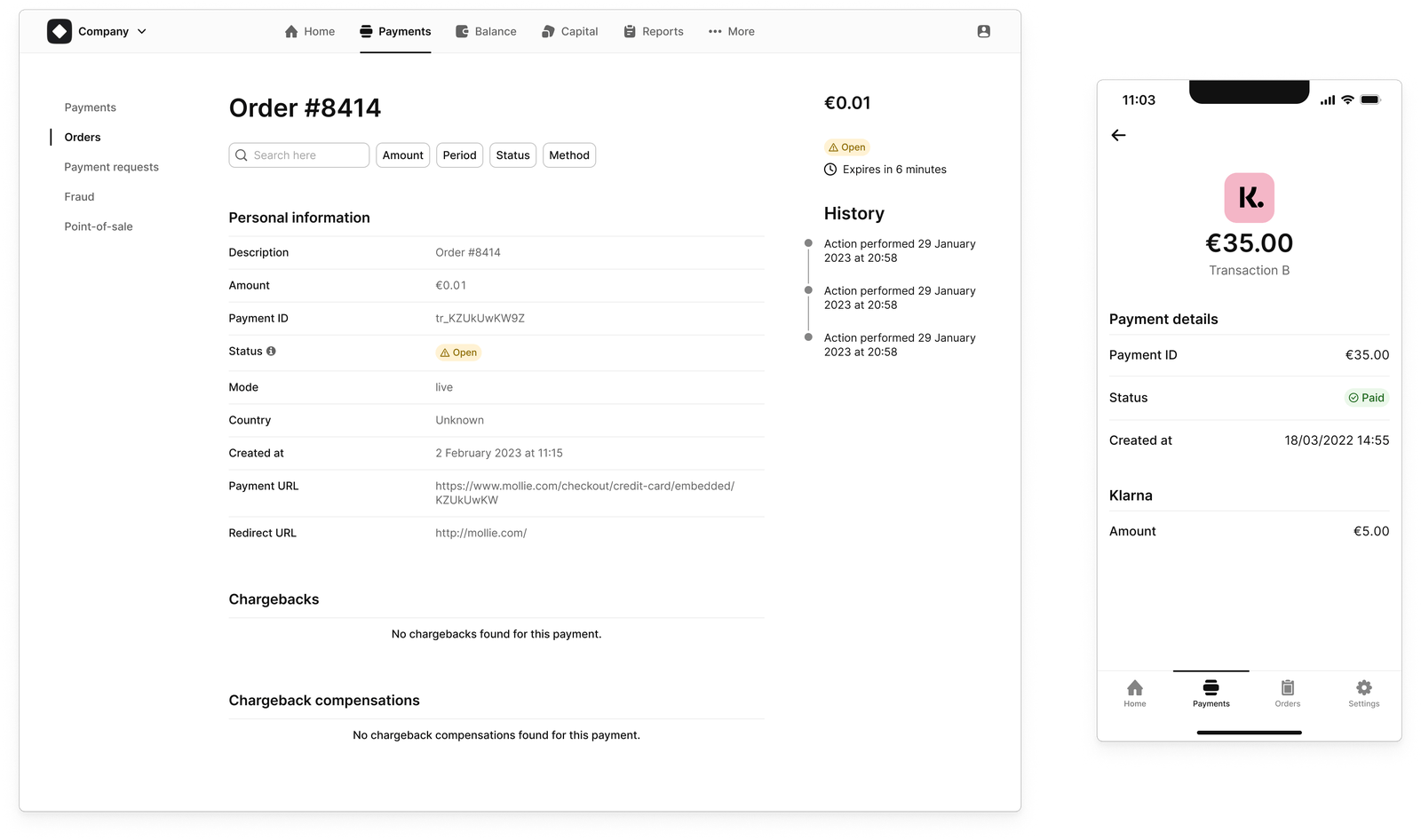
By combining all these components into pages, our product design team has been able to design all sorts of flows. The Mollie UI components look and behave nicely across different platforms and screen sizes, from forms to dense tables. Read our approach to cross-platform components to learn more.
Our take on design system documentation
We decided to work on our design system documentation after implementing all components. Of course, we could have done it earlier and listed all of a component's states, variants, best practices, and so on. But instead, we opted to embed this information as much as possible directly into Figma and Storybook properties.
We did it for two reasons. The first is so people don't need to leave their primary tool to search for basic information. The second is because we value documentation that provides knowledge through tangible examples rather than making assumptions. Such knowledge can only be gained by understanding how designers and developers utilise the system: something we will start to learn now.
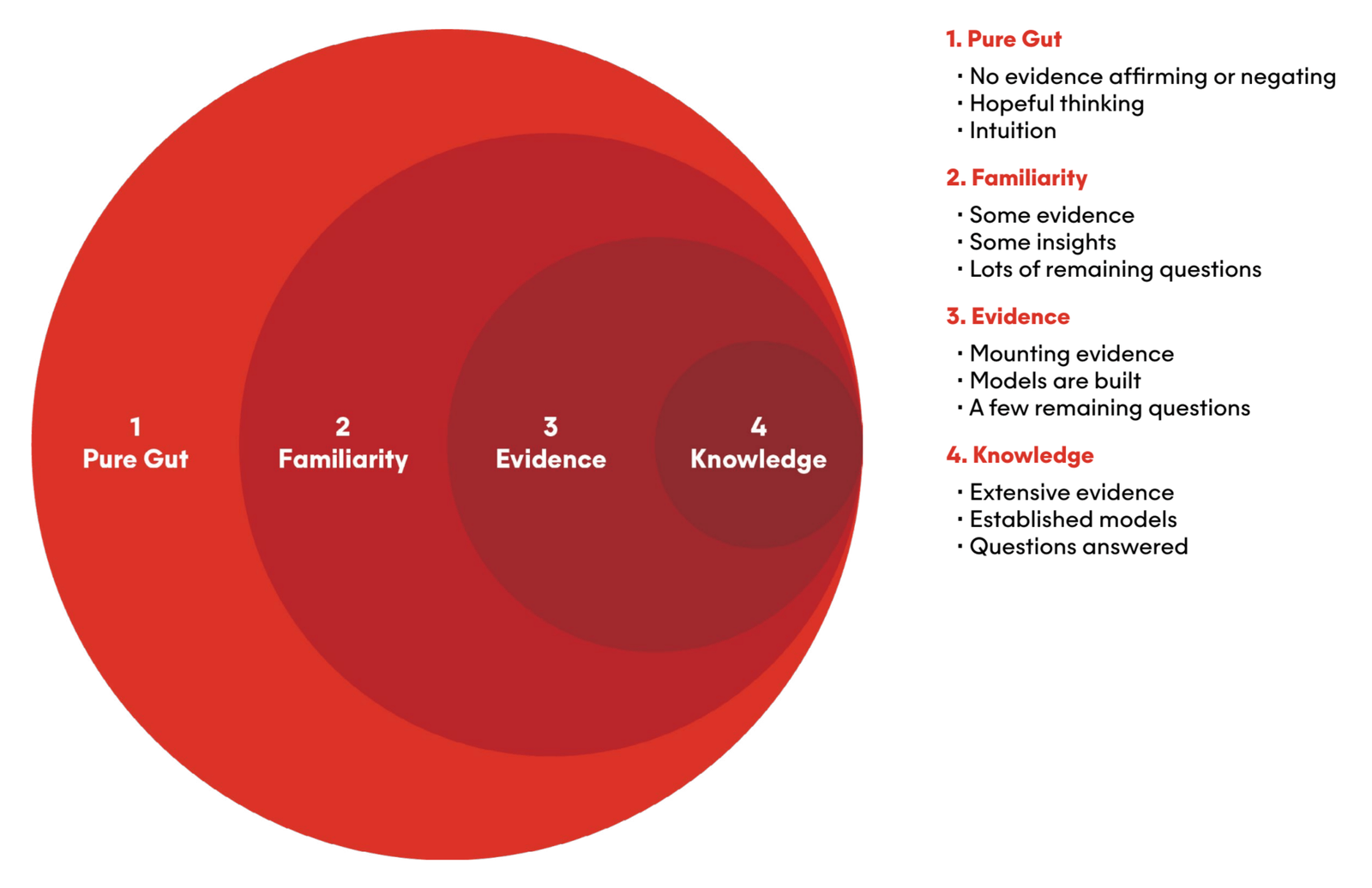
The Assumptions vs. Knowledge scale below is an excellent reference for our intentions. Instead of writing multiple pages based on intuition and hoping for the best, we waited to collect evidence. As a result, we aim to create a resource that enhances our product team's knowledge of how we design interfaces.
Final thoughts
There are many ways to go from a first component to launching a design system. The one thing they all share is that you will learn as you go. Have you tried a different approach? Did it also work? Please share in the comments, and let's chat about it.